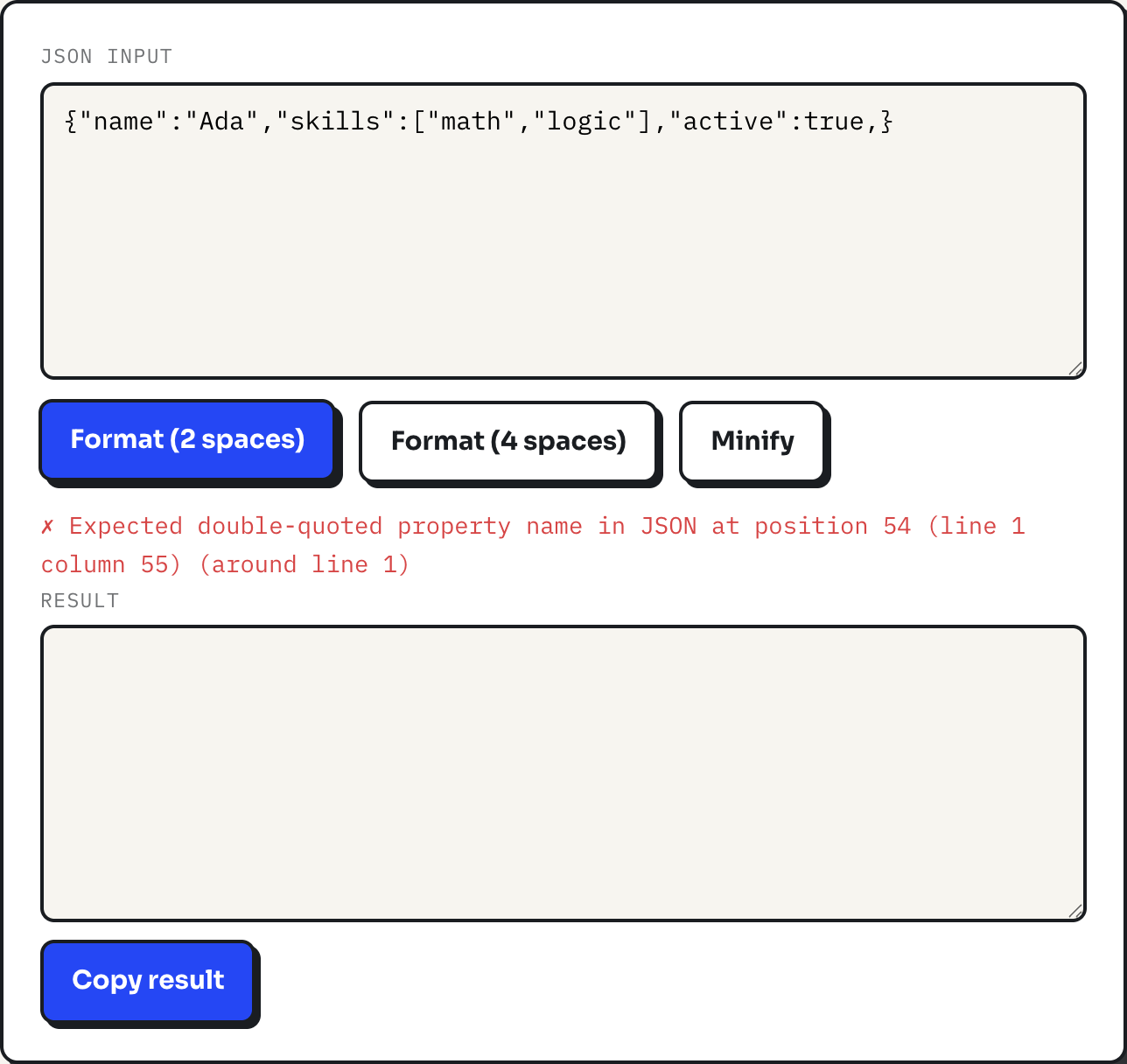
true turns the status line red, with the parser's exact complaint and a line number."Invalid JSON" is not one error, it is a handful of specific rule violations that all get reported the same way. Paste anything into the JSON formatter and it either turns green with a formatted result, or turns red with the exact reason it failed. The reason is almost always one of five things: a trailing comma, an unquoted key, single quotes instead of double, a comment, or a stray value like undefined that JSON simply does not have.
None of those are stylistic quirks the formatter is being fussy about. JSON is defined by a specification, RFC 8259 and the equivalent ECMA-404 standard, and every one of these five mistakes is something that grammar explicitly disallows. Knowing the rule makes the red error line easy to read instead of mysterious.
The five mistakes that cause almost every failure
Each pair below is the same object, broken and then fixed. All five were run through the formatter's underlying parser to get the exact wording it reports.
-
Trailing comma. A comma left after the last item in an object or array.
{"a": 1, "b": 2,}{"a": 1, "b": 2} -
Unquoted key. Object keys must be double-quoted strings, not bare identifiers.
{a: 1}{"a": 1} -
Single quotes. JSON strings use double quotes only; single quotes are not an alternate syntax, they are just not recognized as a quote character at all.
{'a': 'b'}{"a": "b"} -
Comments. Line and block comments are common in config files but are not part of JSON.
// settings
{"a": 1}
{"a": 1} -
A value JSON does not have. JavaScript's
undefined, and bareNaN, are not valid JSON values; only strings, numbers, objects, arrays,true,falseandnullare.{"a": undefined}{"a": null}
The number rules nobody remembers
Two more failures show up less often than the five above, but both come from JSON's number grammar rather than its object or string rules, and both are easy to hit by accident when copying a value out of code instead of typing it by hand.
-
Leading zero. A number cannot start with a zero unless the whole integer part is zero. A zero-padded code like an order number has to be a string, not a bare number.
{"code": 007}{"code": "007"} -
No digit before or after the decimal point.
.5and1.are both invalid; JSON requires at least one digit on each side of the point.{"rate": .5}{"rate": 0.5}
The same grammar rules out NaN, Infinity, and a leading plus sign on a positive number, none of which JSON has ever supported even though JavaScript itself accepts all three as numeric literals. If a value came from a programming language rather than from typed JSON, it is worth checking whether it is one of these near-misses before assuming the formatter is wrong.
Reading the error message
The formatter does not write its own error text. It hands your input to the browser's built-in JSON parser and reports back exactly what that parser says, plus a line number it computes itself by counting newlines up to the position the parser reported. In a browser built on the V8 engine, the same one Chrome and Node.js use, the five mistakes above report like this:
| Input | Reported error |
|---|---|
{"a": 1, "b": 2,} | Expected double-quoted property name in JSON at position 16 |
{a: 1} | Expected property name or '}' in JSON at position 1 |
{'a': 'b'} | Expected property name or '}' in JSON at position 1 |
{"a": 1 "b": 2} | Expected ',' or '}' after property value in JSON at position 8 |
{"a": undefined} | Unexpected token 'u', "{"a": undefined}" is not valid JSON |
Other browsers report the same failures with different wording, since the specification defines what is valid, not what the error message says when it is not. That is also why the position number matters more than the phrasing: it points at, or just after, the character the parser gave up on, which is usually the exact spot to fix.
A worked example
Start from a valid object: {"name":"Ada","skills":["math","logic"],"active":true}. Click Format (2 spaces) and it spreads across eight lines with each key on its own line and the array opened up. Click Minify instead and it collapses back to one line, the form to paste into a curl command or a config value. Now add a comma right after true, before the closing brace, and click Format again: the status line turns red with "Expected double-quoted property name in JSON at position 54 (line 1 column 55) (around line 1)". Position 54 is the closing brace itself, the first character the parser sees after the illegal comma, which is why the fix is always to look at what comes right before the reported position, not at the position itself.
How the tool does it
The formatter is a direct wrapper around JSON.parse and JSON.stringify. That has two consequences. Validation is exactly as strict as the specification, so anything that passes here will parse in any other JSON consumer, including ones with no tolerance for the five mistakes above. And formatting is a full parse followed by a re-serialize, not a text rewrite, which means the output is guaranteed syntactically correct, and duplicate keys in the input collapse to the last one, the same way every JSON reader treats them. Nothing typed into the page is sent anywhere; the parsing happens in the browser tab.
Where it stops being the right tool
Because the input is fully re-serialized, the original key order and any source formatting are gone once you format; this is a formatter, not a diff-safe pretty printer for reviewing exactly what changed. Numbers pass through JavaScript's floating point, so an integer larger than 253 loses precision, which matters for 64-bit database IDs that come back looking fine but are quietly rounded. There is no tree view, no search inside the result, and no schema validation, so a payload that parses but has the wrong shape for your application will not be caught here. For that class of problem you need a JSON Schema validator, not a formatter.
What to do
- Read the error position as pointing at or just after the mistake, and check the character immediately before it first.
- Search for a trailing comma before anything else; it is the most common single cause.
- Replace single quotes with double quotes and quote every object key, even ones that look like valid identifiers.
- Strip comments before pasting; JSON has none, no matter how common they are in the config files it gets mistaken for.
- Once the status line is green, use the formatter again after any manual edit, since one fix can reveal a second mistake further into the file.