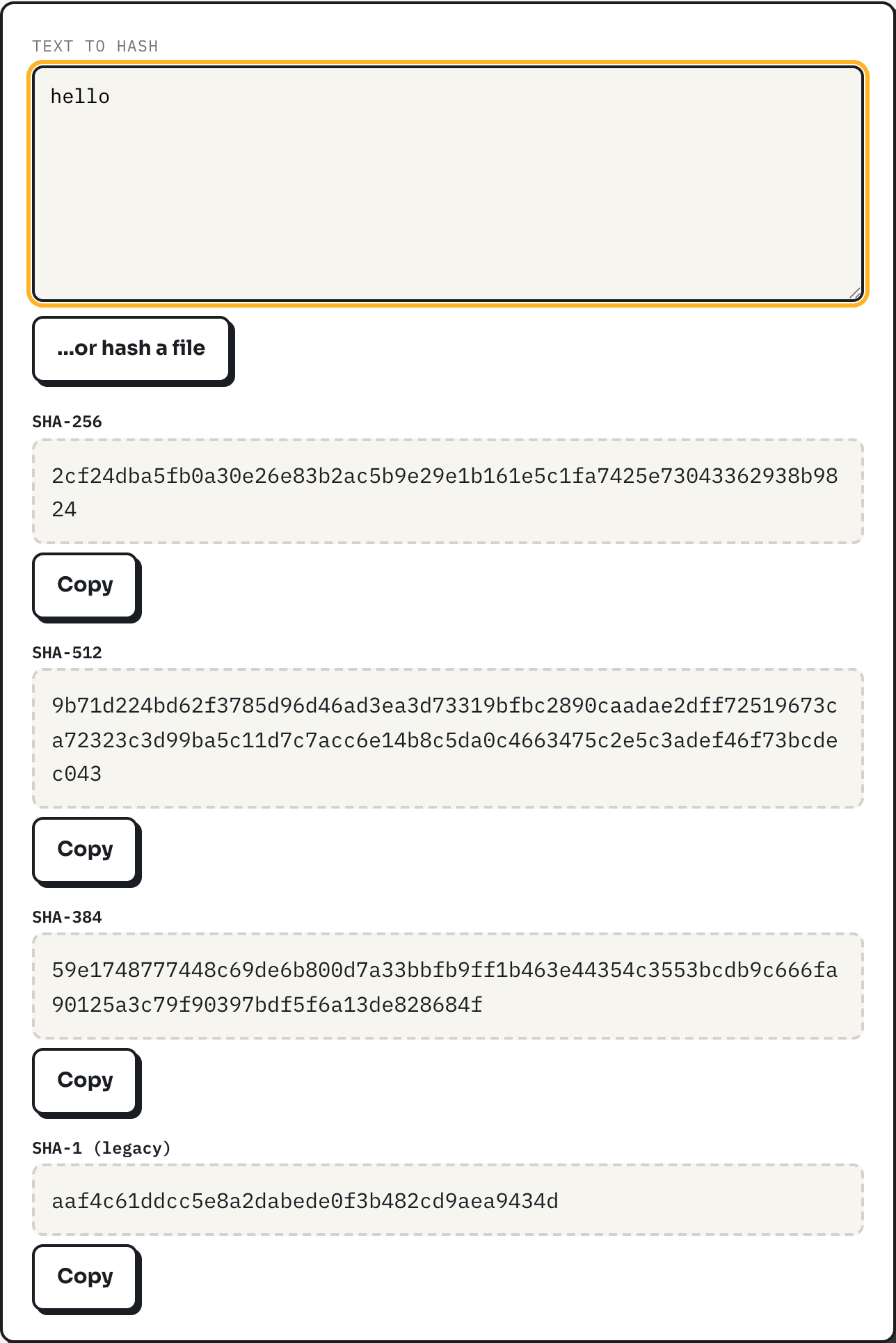
A publisher posts a file next to a string of hex characters labelled SHA-256, and the question is what that string is for. The short answer: it lets you confirm the copy you downloaded is byte-for-byte the copy they uploaded, using nothing but your browser. The hash generator computes that string locally, so you can compare it against the published one without sending the file anywhere.
The idea, called a cryptographic hash function, takes an input of any size and returns a fixed-length string, called a digest, such that changing even one bit of the input changes the digest completely. Run the same file through the same algorithm twice and you get the same digest every time; run a slightly different file through it and the digest looks nothing alike. That is the entire mechanism a checksum relies on.
A worked example
Type the five characters hello into the text box and SHA-256 returns:
2cf24dba5fb0a30e26e83b2ac5b9e29e1b161e5c1fa7425e73043362938b9824Add a single trailing space, so the input is hello , and the digest becomes 5e3235a8346e5a4585f8c58562f5052b8fe26a3bb122e1e96c76784964dfc461, sharing nothing with the first one. That property is called the avalanche effect: a one-character change should flip roughly half the output bits, and it is what makes a hash useful for detecting corruption. A file that is missing its last byte, or that picked up one flipped bit during a bad transfer, produces a digest with no visible relationship to the correct one. There is no such thing as "close" when comparing hashes; it is either an exact match or a different file.
For an actual download, the workflow is the same with a file instead of typed text: click "hash a file" on the tool, choose the installer sitting in your downloads folder, and let the SHA-256 row fill in. Copy the value the publisher posted next to their download link and compare the two strings character by character. A match means the bytes on your disk are the bytes they hashed. A mismatch means something changed along the way, whether that is a partial download, a proxy that altered the file, or, in the worst case, tampering.
The digests side by side
The tool computes four algorithms at once. They differ only in output length and, for SHA-1, in how much trust they still deserve.
| Algorithm | Digest length | Status |
|---|---|---|
| SHA-256 | 256 bits / 64 hex characters | Current default for checksums |
| SHA-384 | 384 bits / 96 hex characters | Same family as SHA-256, longer output |
| SHA-512 | 512 bits / 128 hex characters | Same family, longest output |
| SHA-1 | 160 bits / 40 hex characters | Deprecated, kept for compatibility only |
SHA-256, SHA-384 and SHA-512 belong to the same family, standardized alongside SHA-1 in the United States government's FIPS 180-4 specification and described as an interoperable algorithm suite in RFC 6234. None of the three is stronger in a meaningful way for checksum purposes; SHA-256 is simply the one most publishers already use, so it is the one worth matching against a published value.
How the tool computes the digest
The work happens in crypto.subtle.digest, the digest method of the WebCrypto API built into the browser. Typed text is first turned into raw bytes with TextEncoder, using UTF-8, which is why results here match a command-line tool like shasum even on input with accents or symbols. A chosen file is read into memory as an ArrayBuffer and handed to the same function. Because the digest routine is native browser code rather than a JavaScript implementation, it runs fast enough to hash a large file without freezing the tab, which is the reason the tool can accept files up to 200 MB. Nothing is uploaded at any point; the file never leaves the device it was chosen on.
Why MD5 is not an option here
WebCrypto's digest method supports SHA-1 and the SHA-2 family, and nothing else. MD5 is not merely unlisted on this tool; it is excluded from the browser API itself, because MD5 has practical collision attacks, meaning two different inputs can be constructed to produce the same digest. A checksum that can be deliberately faked is not a checksum worth relying on. SHA-1 remains in the WebCrypto API and on this tool for one reason: some older systems still publish SHA-1 checksums, and being able to check against them beats not checking at all. SHA-1 also has known collision attacks and should not be chosen for anything new. If a legacy workflow truly requires MD5, that has to happen in a command-line tool outside the browser; no in-browser tool should offer it as a first choice.
What a matching checksum does not prove
A checksum verifies integrity: that the bytes you have match the bytes that were hashed. It says nothing about who produced those bytes in the first place. If an attacker compromises the same server hosting the file, they can replace both the file and the published checksum together, and a comparison against that page would still "pass." That is a different problem, called authenticity, and it needs a different tool: a cryptographic signature, made with a private key the publisher controls, which the hash checksum on a download page is not. Where it matters, look for a GPG-signed checksum file or a signature verified against a key you obtained separately from the download page itself, not just a plain hex string sitting next to the link.
A checksum also cannot tell you a file is safe to run, only that it has not changed since it was hashed. A checksum that matches an infected file simply confirms you downloaded the infected file correctly.
What to do
- Prefer SHA-256 when a publisher offers a choice of algorithms; it is the current default for a reason.
- Compare the full string, not the first and last few characters. A partial match is not a match.
- Treat a SHA-1 or MD5 checksum as better than nothing, never as strong assurance, and prefer a signed release if one exists.
- Remember a checksum answers "did this arrive intact," not "should I trust the publisher." Those are separate questions.